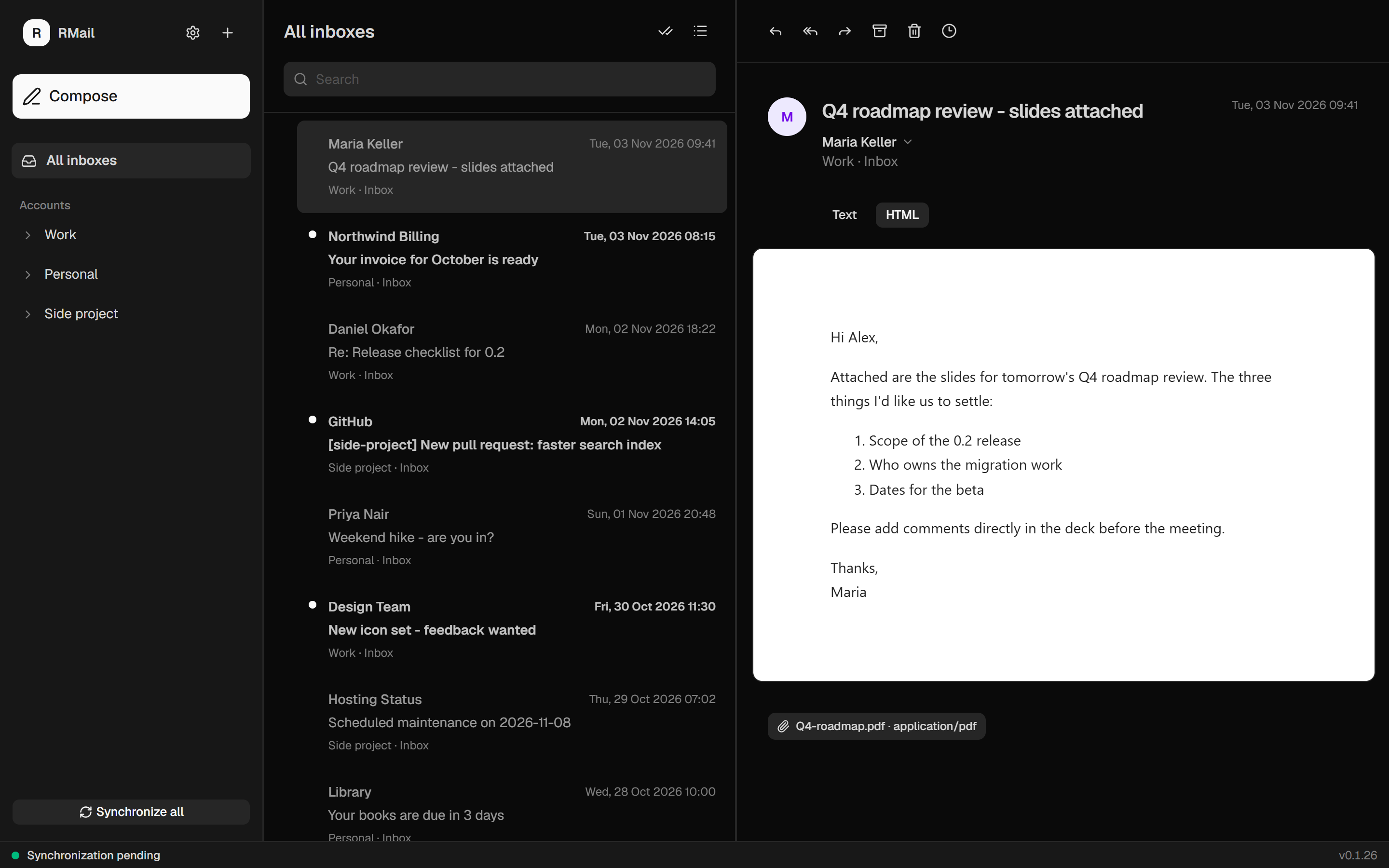
Mail that respects your time.
A focused client that does the everyday things quickly and keeps your data in your hands.
One unified inbox
Read messages from every account in a single list, or open an account's own folder tree. Rename accounts to whatever makes sense to you.
IMAP, SMTP and Gmail
Connect any standard mail provider with a password, or sign in to Gmail with OAuth 2.0 and PKCE. No app passwords required.
Cached locally
Mailboxes, messages, bodies and drafts live in a local SQLite cache, so your mail opens instantly and you can clear it any time.
Tray and notifications
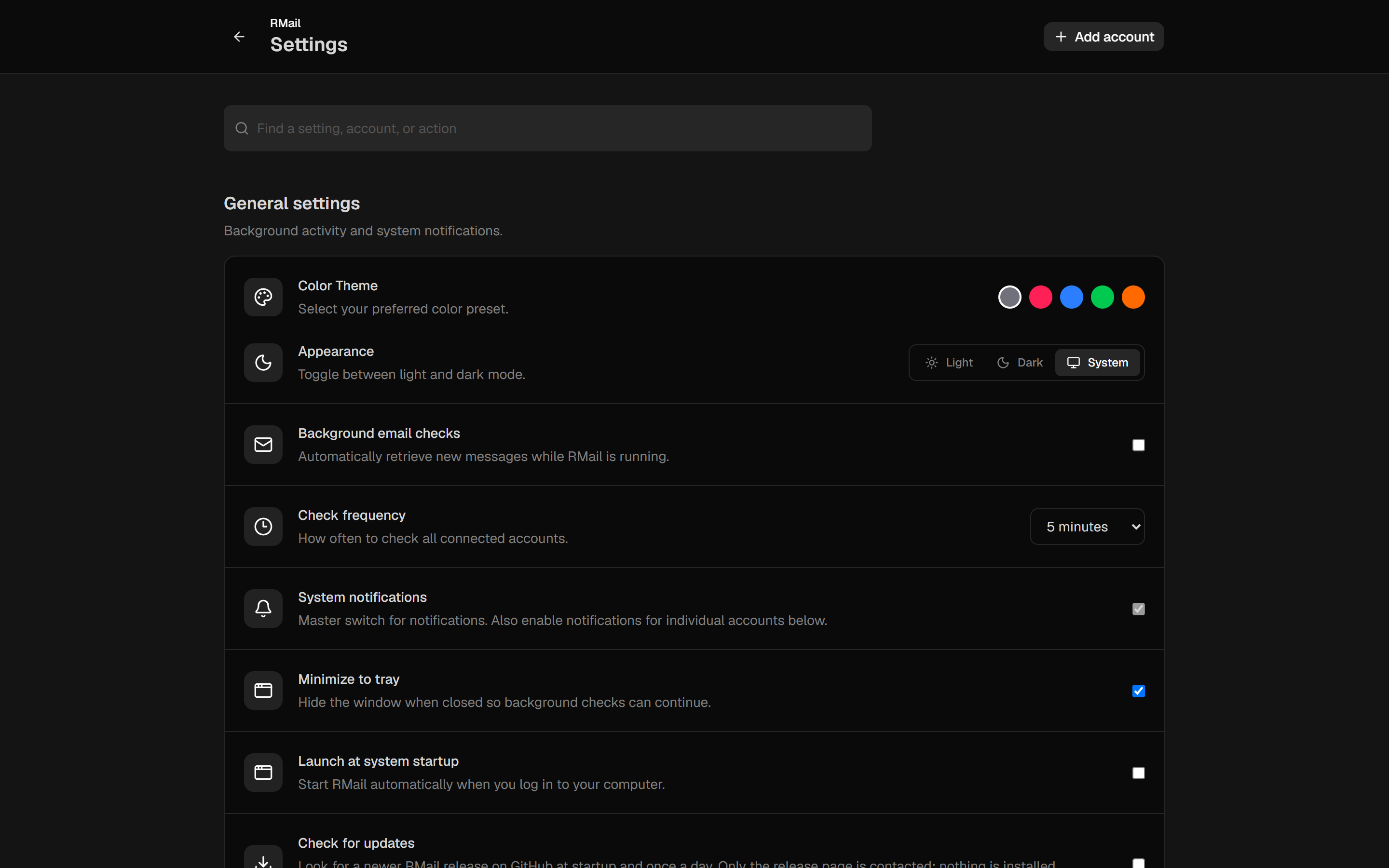
Close to the tray, see an unread badge on the icon, and get desktop notifications per account, with a sender mute list for the noisy ones.
Reply the right way
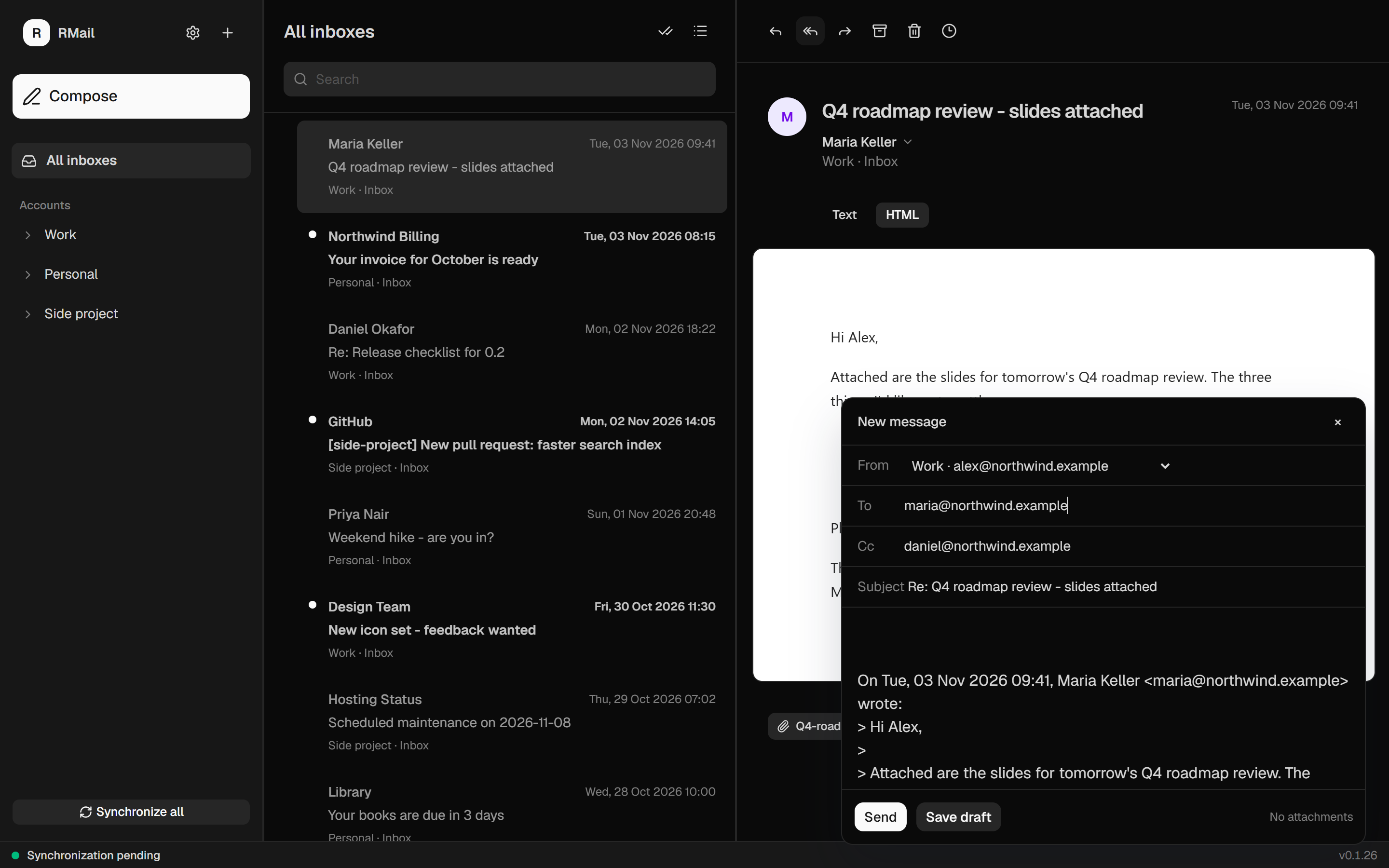
Reply, reply all and forward with quoted text and proper threading headers. Reply honors the Reply-To address and skips your own.
Safe by design
Passwords and tokens stay in your OS keychain. HTML mail renders sanitized in a sandboxed frame, and links open in your browser.
Download RMail
Version v0.1.26. Pick your platform, install or unzip, and you're done.
Builds are not code-signed yet, so Windows SmartScreen and macOS Gatekeeper warn on first launch. Windows: More info, then Run anyway. macOS: right-click the app, then Open.
Ready when you are
Open source and free of ads, trackers and accounts.